Back to Blog
Enterprise AI architecture beyond the demo: Sydney Muzoka on building AI that survives the real world

November 9, 2026
•
Inside Digital Bricks

Inside Digital Bricks is a new series in which we hand the stage to the people who actually build, govern and roll out Microsoft AI at Digital Bricks. No polished vendor slides, no recycled predictions: just first-hand lessons from the colleagues who see what works, what breaks and why. Our first topic is enterprise AI architecture, and our first guest is Sydney Muzoka, our Enterprise Software Architect and the person who makes AI fit into a client’s entire Microsoft estate: agents in Business Central and Dynamics 365 Financeand Operations that work with orders and service history, AI in the CRM forsales and service teams, Fabric and One Lake data that agents can query, and Microsoft 365 as the front door where people already work. He designs the architecture, writes down why each decision was made and, unusually for an architect, still builds much of it himself. Why start with him? Because almost every organisation now has an AI demo that impressed the room, and far fewer have one that runs reliably on real data, real permissions and a real budget.That gap is exactly where he spends his days.
So we asked him what really separates a clever prototype from enterprise AI architecture that lasts. His answers are refreshingly honest, occasionally funny and full of hard-won rules that any team building with Copilot Studio, MicrosoftFoundry or AI agents can use tomorrow.
His first rule is about himself. He stays close to the build on purpose, and his reasoning says a lot about the pace of Microsoft AI right now.
“The platform changes month to month, and an architect who onlydraws diagrams soon ends up designing for a platform that no longer exists.”
In practice, he describes his work in three parts. He starts with the problem: what should change, where the knowledge and data live, and who is allowed to see them. Then he designs and builds, staying hands-on with integrations, data pipelines and the agents themselves. The third part is the one most projects underestimate: everything that decides whether a solution survives after go-live, from environments, deployment and identity to licensing, cost and helping the client’s own team run it. The goal, as Sydney puts it, is that “the AI follows the business strategy instead of becoming a separate project.”

Ask him about the difference between a demo and enterprise AI architecture and the answer fits in one sentence.
“A demo answers one question for one person on a good day.”
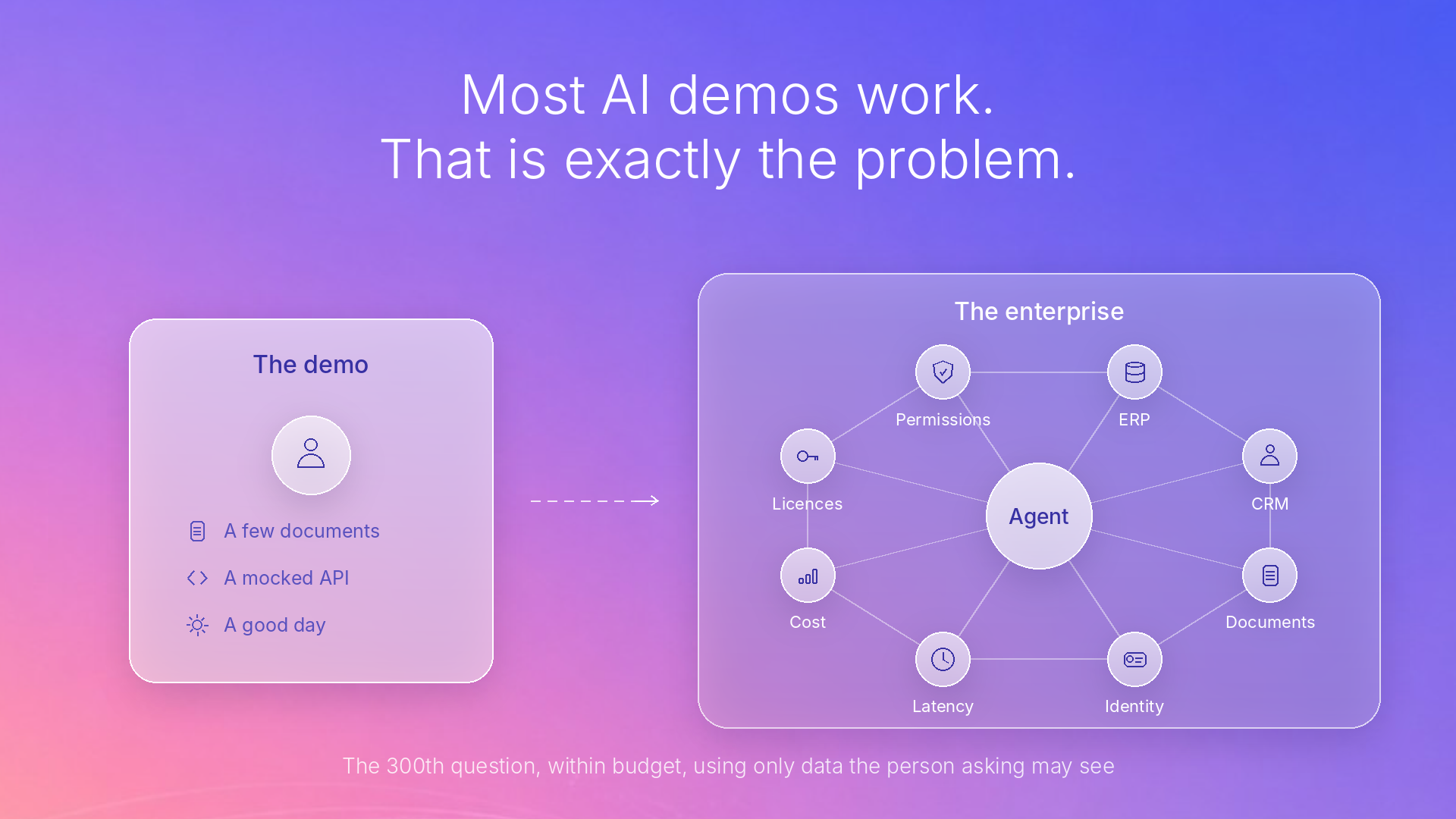
An enterprise system, he explains, “has to answer the three-hundredth question within a budget, under a licence model someone has signed, at a speed people will accept, and using only data the person asking is allowed to see.”
In a demo, a few documents and a mocked API are enough to show the idea. In an enterprise, he says, “the integrations are the solution.” The agent works against a real ERP, a real CRM and real document stores, each with its own permissions, limits and owners.
From there, AI simply sharpens the decisions every production system faces:
And one point is unique to AI. You cannot know the right model, prompt or retrieval set-up in advance, so you treat the design as an experiment and build measurement in from the very first pilot.
Before anyone mentions a product, our architect asks something surprisingly simple: do you need to build anything at all? “Sometimes ordinary code or an existing Copilot or Dynamics 365 agent already does the job,” he says, “and clients don’t ask that often enough.”
If building is the answer, he wants four things settled first:
Once those are answered, the product choice usually comes down to one or two options.
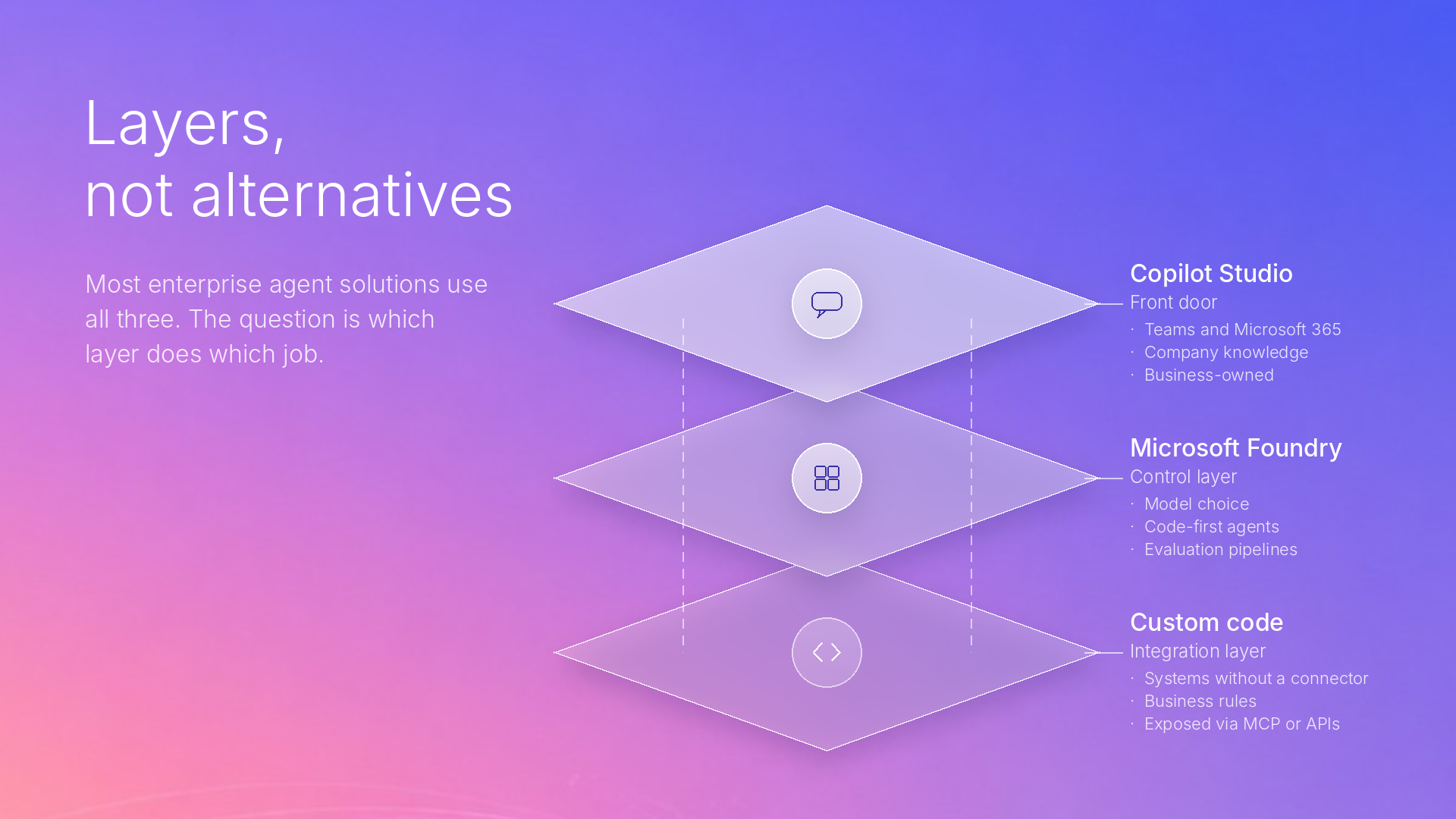
This is probably the question Digital Bricks hears most. His answer: stop treating them as rivals. “I treat them as layers more than alternatives. Most enterprise solutions end up using all three, and the question is which layer does which job.”
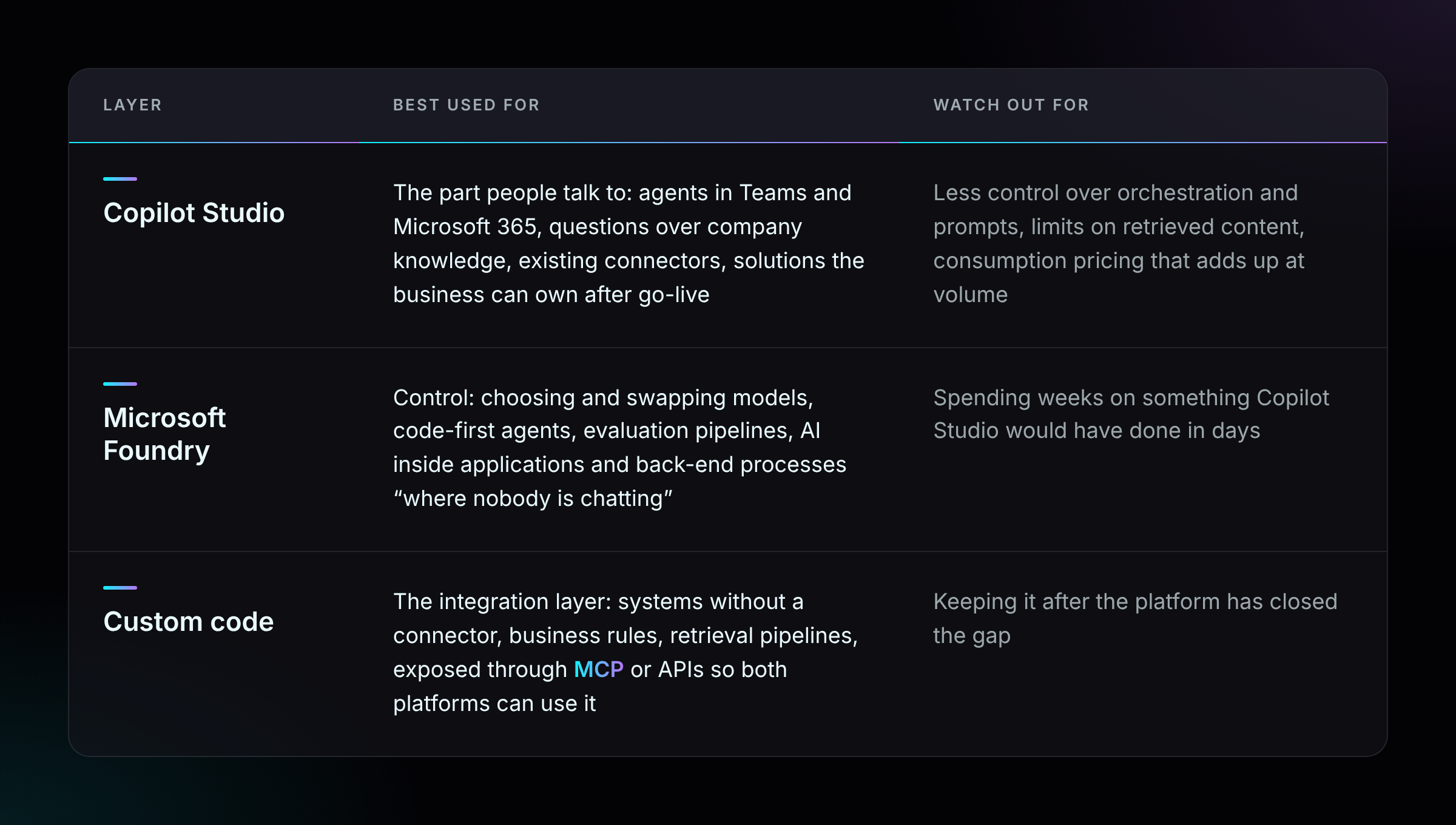
The two platforms work well together, with Copilot Studio as the front end calling agents and models that live in Foundry. On custom code, he is strict:
“Custom code needs a gap you can name, and when the platform closesthat gap you delete it.”
The most common mistake he sees is choosing by reputation. Teams pick Foundry “because it sounds more serious” and lose weeks, or push Copilot Studio past what it is good at because it is quick to start. In the end, he says, the client’s skills, licences, data and appetite for ownership change the answer every time, so he prefers working through those to applying a rule.
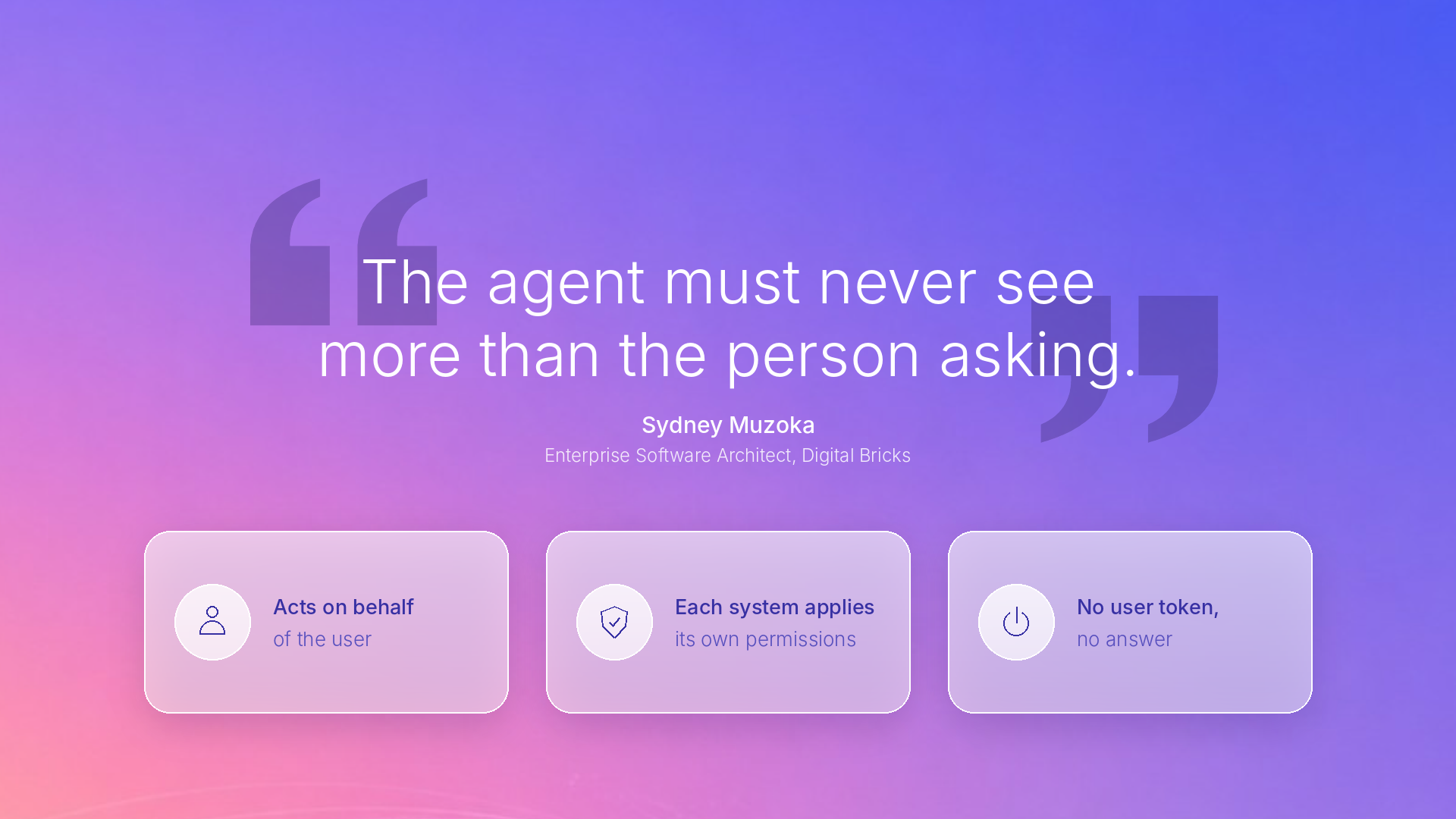
If there is one principle Sydney keeps returning to, it is identity.
“The agent must never see more than the person asking.”
The rule is simple, he admits, and hard to implement. Wherever possible the agent acts on behalf of the user: it passes the user’s identity to SharePoint, the ERP or the mailbox, and each system applies its own permissions. “I don’t trust the agent to filter correctly by itself,” he says. If there is no user token, the agent returns nothing. Copying data into an index is fine, as long as the permissions come with it, because a hand-maintained mapping of who can see what “drifts, and usually nobody notices until production.”
The agent itself deserves the same discipline you would apply to a person: its own identity, a named owner, only the permissions its task needs, separate read and write rights, and managed identities instead of stored keys. Then you assume something will go wrong. A prompt injection hidden in an email or document can steer an agent, so you design for what a compromised agent could reach and keep that as small as possible. “That’s Zero Trust applied to agents,” he says. “The principles didn’t need to change.”
There is one side effect he always plans for. When permissions work, some users get no answer, and to them it looks like the AI is broken. His fix: the agent should tell them why it cannot answer.
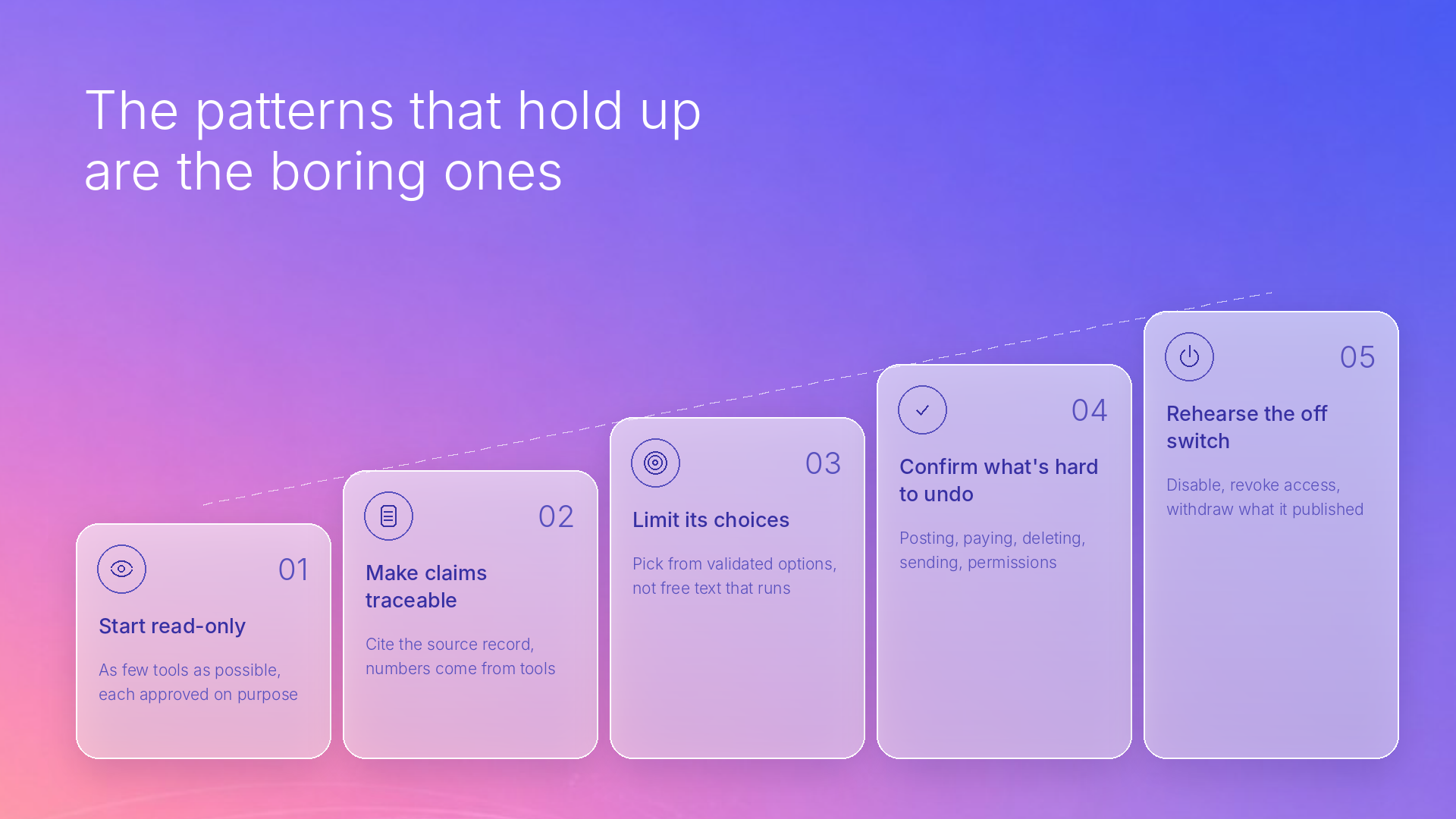
Ask which patterns keep agents safe inside enterprise systems and he does not reach for anything exotic. “The patterns that hold up are the boring ones,” he says. His list:
At Digital Bricks, being Customer Zero means we use the AI were commend before our clients do. For Sydney, that is very literal: his own engineering runs on the agent patterns we sell. He works in VS Code with GitHub Copilot in agent mode, connected through MCP to Microsoft Learn, Azure and AzureDevOps. Research comes from current documentation rather than a model’s memory, deployments are diagnosed from the editor, and work items stay next to the code.
The benefit is that his advice comes from experience, not from announcements. When a new agent capability ships, he has usually used it before a client asks. “When I tell a client to keep an agent’s toolset small and its tool descriptions precise,” he says, “I’ve already seen what happens when they aren’t.”
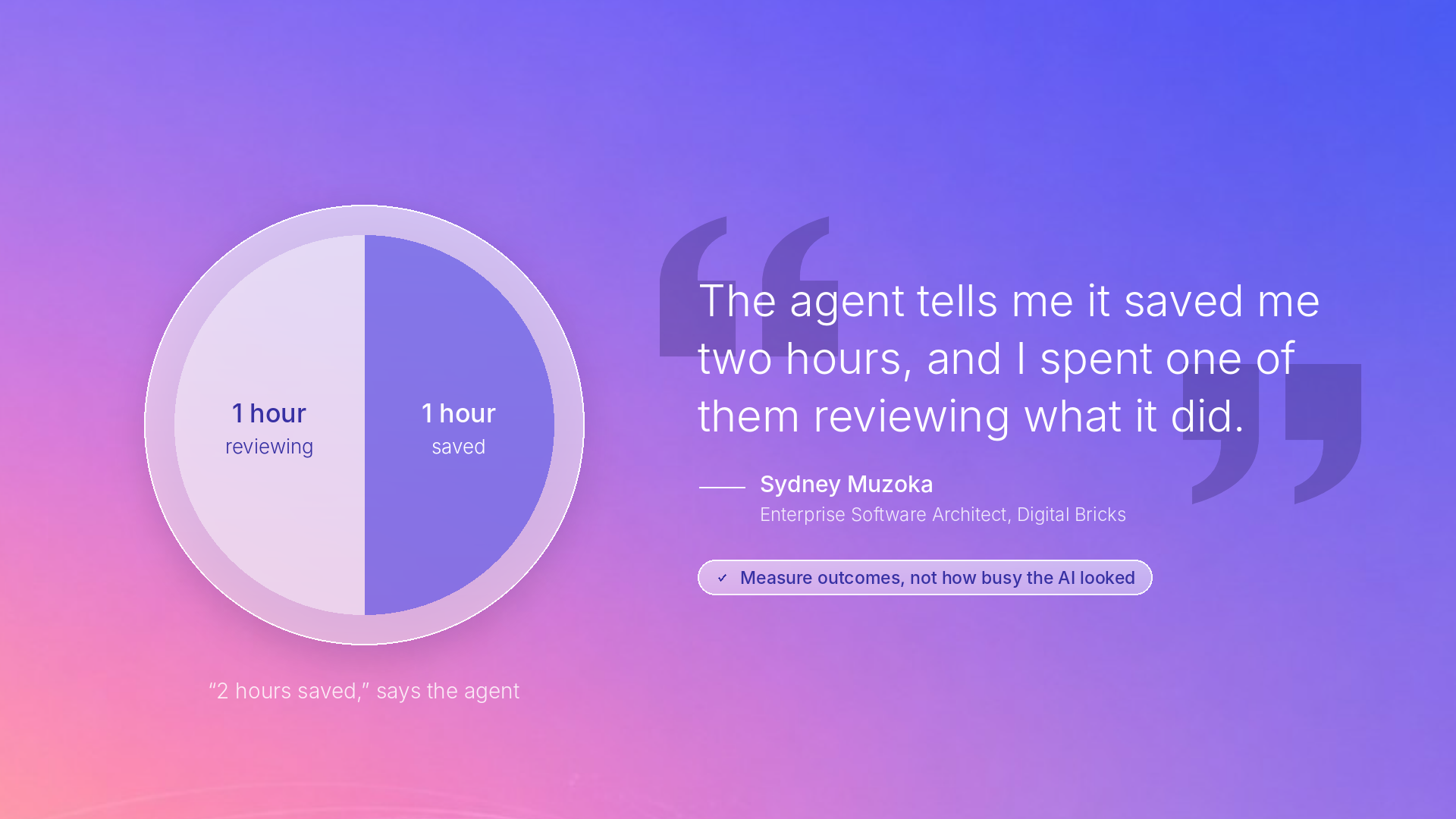
Is he more productive? “Definitely.” Can he prove it? That is where he gets candid:
“The agent tells me it saved me two hours, and I spent one of them reviewing what it did.”
That experience gives him real sympathy for clients who struggle to measure AI’s value. His advice is to measure outcomes, such as how quickly workships or how often it has to be redone, “and not how busy the AI looked.”
With Microsoft AI evolving this fast, how do you keep a solution maintainable? The answer starts with paperwork, of all things: assume every decision will be revisited, and write down why you made it. A short decision record shows which assumptions have changed when a new capability ships, and lets the client’s team follow the reasoning long after the project ends.
Next, keep the fastest-changing parts away from the stable ones. For code-first agents, Digital Bricks builds on Semantic Kernel and the Microsoft Agent Frame workand keeps its own business logic separate from framework-specific code. That paid off when Semantic Kernel moved into the Agent Framework: “the migration stayed small.” Retrieval and integrations sit behind MCP or APIs, so the agent in front can change without a rewrite. Agents, indexes and infrastructure are treated as code: in source control, deployed through dev, test and production,and always with a way to roll back.
He places orchestration in the middle of the architecture, deciding on each turn whether to answer, call a tool, ask a clarifying question or hand over to a person. “Observability and evaluation are what keep it honest,” he says. His practical advice:
He also warns against convenient metrics. In one evaluation, most of the articles that cosine similarity flagged as duplicates turned out to be “just related error codes.”
Regulation, in his view, is now part of the design, not an after thought. For one banking software vendor, his team mapped each AI feature to its role and risk class under the EU AI Act. An agent that could assess credit worthiness autonomously in another region needed a different design for EU customers. His conclusion is reassuring for anyone who builds properly:
“If you’ve built them in from the start, compliance is mostly a matter of documenting what you already have.”
By “them”, he means logging, human oversight and evaluation: exactly what the Act asks organisations to demonstrate.
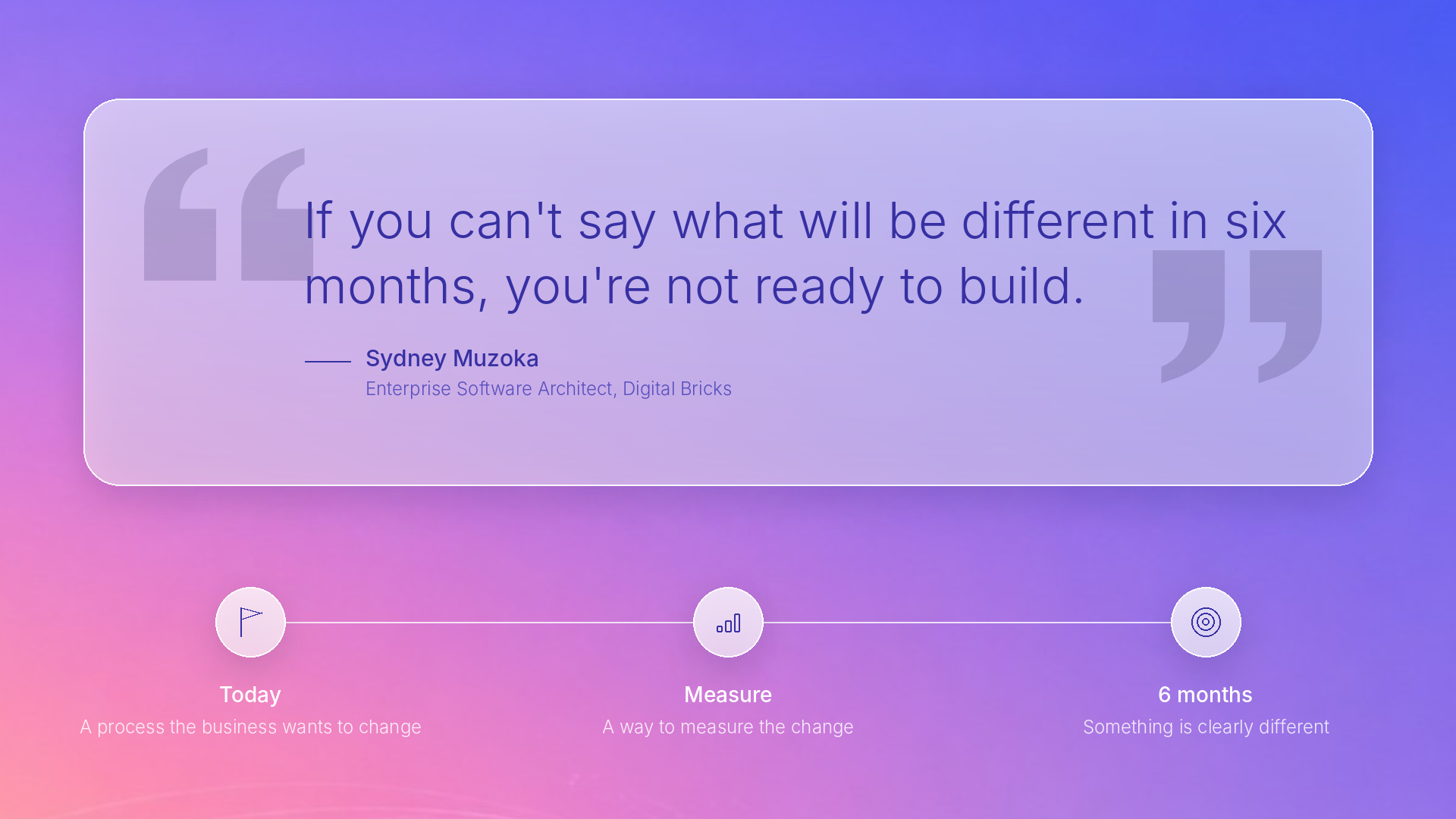
We closed by asking Sydney for the single lesson he wants every organisation to hear. He did not mention a model, a platform or a framework.
“If you can’t say what will be different in six months, you’re not ready to build.”
The projects that work, he says, start from a process the business wants to change and a way to measure that change. The ones that stall start from “we should have an agent”.
Based on his answers, here is a checklist any team can use before writing a single prompt:
If those answers are clear, choosing between Copilot Studio, Microsoft Foundry and custom code usually becomes the easy part.


Unlock exclusive insights and stay ahead in the digital world. No spam, only useful content.