Back to Blog
What is Vibe Working?

December 21, 2025
•
AI Adoption
.png)

Remember when "vibing" was something you did at a concert or café? Now Microsoft wants you to vibe at work. Vibe working describes working side-by-side with AI as naturally as you would with a human colleague. Instead of one-off commands and isolated outputs, vibe working is about having a back-and-forth dialogue with an AI assistant throughout your day. The AI generates, tests, and refines content while you steer the direction – like brainstorming with a supercharged helper. You provide the intent, and the AI does the heavy lifting, adapting to your feedback.
This idea might sound familiar to software developers. It builds on “vibe coding,” where programmers describe the outcome they want and let AI handle much of the coding while they guide the results. Microsoft saw how vibe coding boosted developer productivity and decided to bring that vibe to everyone’s work. The latest AI features in Microsoft 365 are designed to make creating documents, analyzing data, or building presentations a more collaborative process with an AI partner.
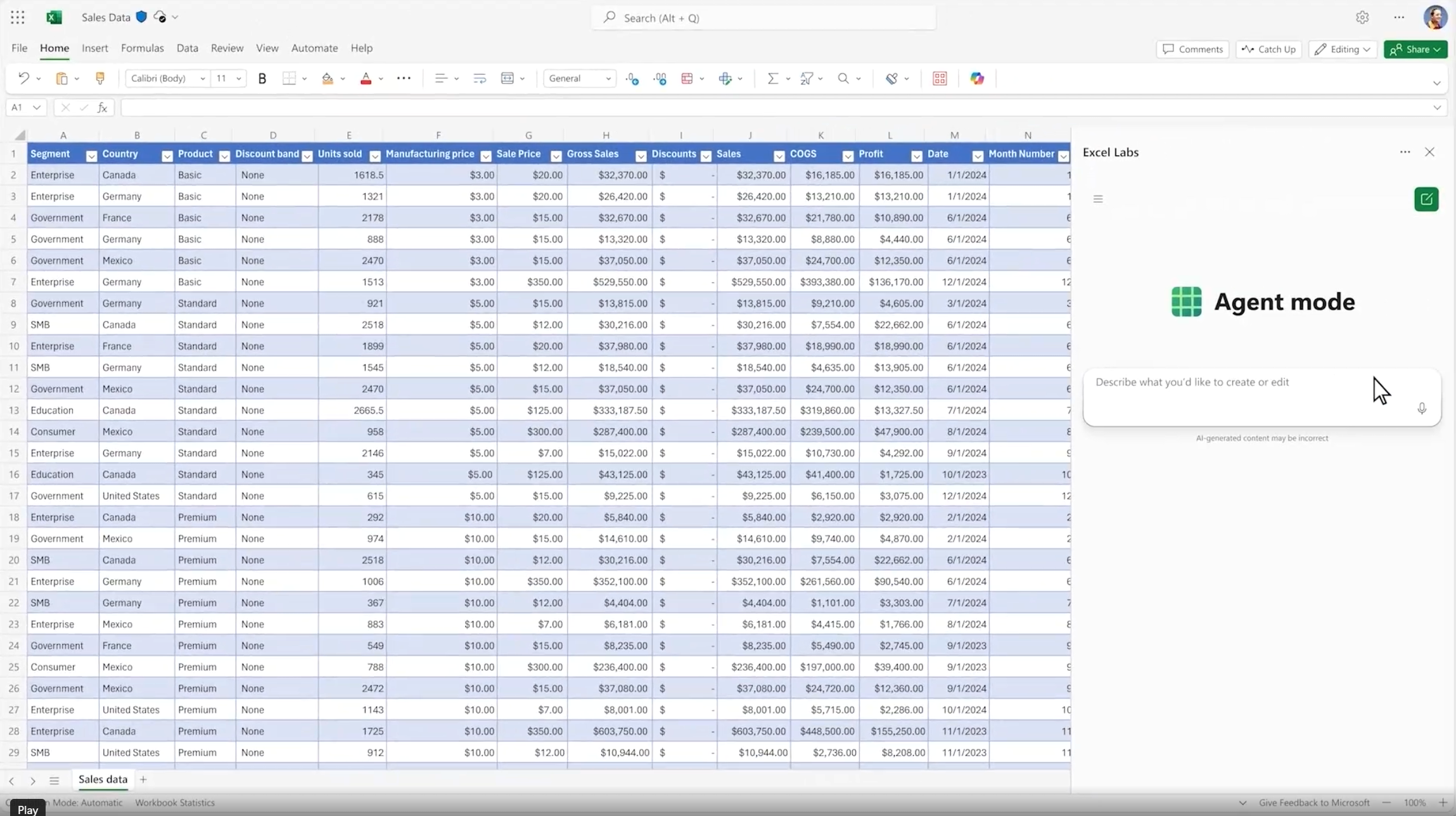
At the heart of Microsoft’s vibe working push is Agent Mode in Office apps. Think of Agent Mode as turning Word and Excel into interactive colleagues. With Agent Mode enabled, Microsoft 365 Copilot can perform multi-step tasks inside these apps, not just answer single prompts. For example, in Excel you might say, “Analyze this sales data and make it visual,” and the AI will decide which calculations to run, generate charts or tables, and produce a summary of key insights – all within your spreadsheet. It’s as if you had an expert analyst by your side: you describe what you need, they do the number-crunching and chart-making, and then you both refine the output together.
In Word, Agent Mode transforms writing into what Microsoft calls “vibe writing.” You could ask, “Summarize our customer feedback and highlight the main trends,” and Copilot will draft a well-structured section for you, complete with polished wording and proper formatting. You can then say, “Make this part clearer” or “Add an example about X,” and it will adjust the text on the fly. Writing becomes a conversation. You focus on the ideas you want to convey, and the AI focuses on composing and refining the prose. Microsoft suggests this dialogue-based approach helps you iterate faster and get better ideas, making the writing process more engaging – essentially, less blank-page anxiety and more active brainstorming with your AI.
Another big change with Agent Mode is that the AI can improve its output through iteration. It doesn’t just spit out a draft and stop; it can check its work, fix mistakes, and try again until the document or analysis meets your needs. All the while, you’re in control – guiding it if it veers off and double-checking the results. It’s a new workflow: you delegate the busywork to the AI agent, and you steer the process to keep it on track.
Agent Mode is debuting in Excel and Word (with PowerPoint on the way), and it’s already showing how advanced capabilities can become accessible to non-experts. Tasks that once required deep expertise – say, building a complex spreadsheet model or reformatting a lengthy report – can now be handled by anyone via a clear prompt. That means less time wrestling with formulas or formatting, and more time focusing on insights and decisions.
Another piece of the vibe working puzzle is Office Agent in Copilot chat. This feature lets you create Word documents or PowerPoint presentations through a conversational chat interface, rather than working directly in those apps. It’s like messaging an AI coworker: “Hey, can you put together a slide deck on XYZ for me?”
For example, you might type to Copilot Chat, “Create a 10-slide pitch deck about the top 5 trends in our industry.” Office Agent will likely ask a few clarifying questions – perhaps about your target audience or key points you want included. Once it understands your needs, it goes off and does the work: possibly doing some quick research and then generating a draft PowerPoint deck that’s well-structured and nicely formatted. You’ll get a preview of the slides and can refine them via chat – maybe “Make slide 3 more visual” or “Add a recent stat to slide 1.” The AI will update the presentation accordingly. In short, Office Agent lets you chat your way to a first-draft document or deck, which you can then polish with final human touches.
This chat-based approach means you can kick off the content creation process even before opening Word or PowerPoint. Brainstorming, outlining, and drafting all happen in one continuous conversation with your AI assistant. It extends vibe working beyond individual applications – even the early planning phase becomes a collaboration with AI.
There’s a saying: to vibe work, you must first vibe learn. At Digital Bricks, we believe that to fully embrace vibe working, employees need to get comfortable with AI through vibe learning. So, what is vibe learning?
Vibe learning is a modern way of learning that uses generative AI as your personal tutor, study partner, and project helper. It’s built on one big idea: the fastest way to learn anything is to make AI match your vibe; your learning style, your pace, your interests, your goals. In practice, vibe learning means weaving AI into your day-to-day tasks so that learning happens continuously and organically. AI isn’t just a topic for a quarterly training session – it’s something you interact with throughout your day, picking up new knowledge whenever you need it.
Unlike traditional training, vibe learning is:
Instead of slogging through static courses or dense manuals, vibe learning is about active engagement. You can:
Say you need to pick up a new data analysis technique. You could ask the AI to walk you through applying it to a sample dataset from your work. As it demonstrates each step, you might ask “why did you do that?” or “what if we change this parameter?” You’re learning in context, in real time, with an expert on demand.
Digital Bricks champions vibe learning because it erases the old line between “learning time” and “working time.” With AI as a constant, on-demand coach, employees can learn continuously while doing their jobs. You don’t have to pause work to take a class – the learning comes to you exactly when you need it. Over time, this creates a workforce that’s agile and comfortable adapting to new tools. People are no longer afraid to hit the Copilot button or ask an AI for help, because that’s how they’ve been learning all along.
This kind of learning culture is exactly what makes vibe working possible. When folks use AI as a tutor and collaborator every day, they naturally become adept at using AI as a co-worker. Vibe learning builds confidence and competence with AI, so when features like Agent Mode appear in their apps, your team is ready to dive in. They’ve been training with the AI, so using it to actually get work done feels like a natural next step.
"Vibe working" – inspired by the vibe coding trend signals a real shift in how we work. As AI tools become more ubiquitous, the teams that thrive will be those that integrate these tools into their daily rhythm and keep learning along the way. It’s about making AI assistance a normal part of the workflow – asking Copilot for help is as routine as asking a colleague – and making continuous improvement (vibe learning!) a part of everyone’s job.
To lead this shift, set the example and encourage experimentation. Show your team how you’ve saved time or solved problems with AI. Encourage your team to share AI tips and successes, and give them room to experiment with new tools. The more people swap ideas and success stories, the faster AI fluency spreads through the organization.
Most importantly, keep the focus on people. Vibe working isn’t about replacing humans – it’s about amplifying human potential by partnering with AI. Make sure everyone knows AI is there to handle the drudge work, not take away jobs. When AI takes on the busywork, employees can focus on the uniquely human parts of their jobs – creative strategy, big-picture decisions, relationship-building, and empathy. The goal is to make work more engaging and more human, with technology adapting to us rather than forcing us to adapt to it.
Ultimately, vibe working is about working smarter and finding your flow with a little help from AI. By fostering a vibe learning culture now – where employees continuously learn and leverage AI – you’ll prepare your organization for this future. Embrace the idea of AI as a collaborative partner, and you’ll be well on your way to truly vibe working – and reaping the rewards of this new era of work.


Unlock exclusive insights and stay ahead in the digital world. No spam, only useful content.