Back to Blog
Navigating Microsoft’s Rapid Evolution

January 18, 2026
•
Learning
.png)

Microsoft’s technology ecosystem is no longer evolving in cycles, but in a near-constant state of motion. New capabilities, renamed platforms, and quietly transformative updates arrive with such regularity that yesterday’s familiarity can quickly become today’s blind spot. For both technologists and organisations, it can feel less like adopting a set of tools and more like navigating a living system that never quite stands still. In this environment, success is no longer defined by what you already know, but by how readily you continue to learn, adapt, and recalibrate your understanding as the ground shifts beneath you.
It’s no secret that Microsoft has embraced a rapid cadence of innovation, especially in the cloud. Microsoft Azure now offers hundreds of services, with new features and improvements arriving on a near-weekly basis. Major product names and capabilities are frequently rebranded or overhauled – often in ways that signal deeper technical changes under the hood. For example, Microsoft recently renamed Azure Active Directory (Azure AD) to Entra ID, a change that was not just cosmetic but part of a shift to a new unified identity platform (the Microsoft Graph API) and deprecation of older libraries. This kind of change can catch IT teams off guard, think of a scenario such as a DevOps engineer being awakened by a 2:00 AM outage when an old script suddenly broke, not because his team changed anything, but because Microsoft had updated the platform and retired the old module it depended on. If you’ve felt that “jolt of confusion and frustration” when a familiar service gets an update or a new name, you’re not alone: it’s a very real operational challenge in today’s Microsoft ecosystem.
Even Microsoft’s flagship productivity suite has seen rapid evolution. Longtime users have watched “Office” transform into Microsoft 365, and now Microsoft is positioning itself as “the Copilot company,” integrating Copilot and Agent Mode assistants into every application. The volume of change is unprecedented – and it’s going to get faster. This puts pressure on developers, IT professionals, and even end-users to continuously update their knowledge. Yesterday’s best practice might be outdated tomorrow, and a service you mastered a year ago might have a new name or new capabilities today.
To illustrate the pace: the Azure cloud platform of 2025 is a different beast from that of just a few years prior. New services in AI, data analytics, security, and DevOps pop up frequently. Core cloud products are enhanced with new features monthly. Even the naming conventions can shift under your feet, a recent Reddit thread went viral in the Azure community for explaining Microsofts product rchanges as: “constant rebranding that is making our jobs significantly harder,” as one has to keep relearning terminology and navigating renamed portals and APIs on top of managing real technical changes. Indeed, Microsoft’s own documentation and engineering blog acknowledged that these name changes signify substantial platform shifts that require admins and developers to adapt their scripts and integrations or risk downtime.
One of the biggest drivers of Microsoft’s fast-paced evolution is its full-throttle embrace of artificial intelligence. Over the past couple of years, Microsoft has woven AI capabilities into virtually every product. The introduction of Copilot is emblematic of this change. GitHub Copilot was one of the early hits, then Microsoft 365 Copilot, and now more recently Agent Mode in Office apps.
Microsoft Copilot Studio and Microsoft Foundry are two key platforms in Microsoft’s AI ecosystem that empower organizations to create custom AI agents and AI-powered applications. Copilot Studio is a managed, low-code SaaS environment aimed at business “makers” and IT admins who want a straightforward way to customize Microsoft 365 Copilot or build their own conversational assistants without extensive coding. In Copilot Studio, a user can use visual tools and pre-built connectors to make an AI agent that, for example, pulls data from internal systems or implements a specific business workflow – all with minimal code. On the other hand, Microsoft Foundry (recently name changed from Azure AI Foundry) is a more technical, pro-code platform geared toward professional developers and software engineers. Foundry runs in your Azure cloud subscription and gives fine-grained control to build sophisticated AI agents, integrate with any data source or service, and manage the solution with full DevOps practices and custom code when needed. In short, Copilot Studio trades some depth for ease-of-use, whereas Foundry offers maximum flexibility and control for those who can handle the complexity – and many organizations will use both in tandem to get the best of both worlds.
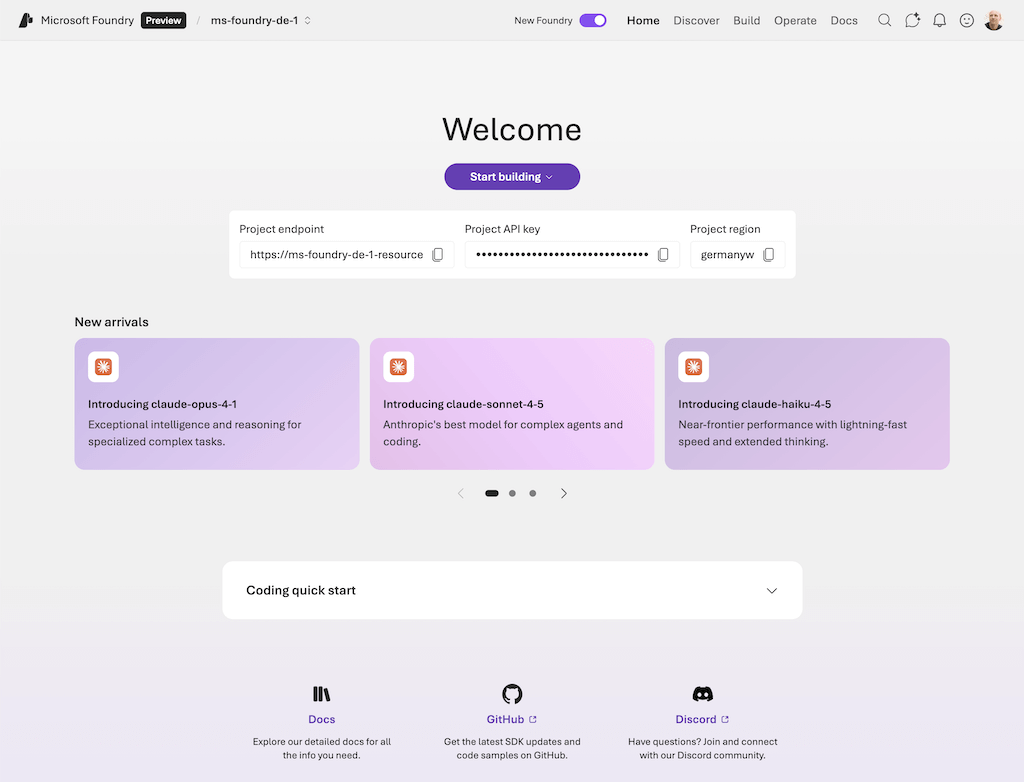
What feels obvious, once you step back, is that none of these platforms are meant to stand still. Copilot Studio and Foundry are not finished products so much as living systems, shaped by new models, new governance demands, and new ways organisations want to work with intelligence embedded directly into their operations. The interfaces will change. The capabilities will deepen. The boundaries between low-code and pro-code will continue to blur.
For developers, the proliferation of AI services means learning new development paradigms. Azure now offers Azure OpenAI Service for working directly with large language models, cognitive services for vision and speech, and tools like the Microsoft Agent Framework for building multi-agent systems. Copilot Studio and Foundry introduce the concept of building “agents” that use plugins or tools to fulfill user requests, which is a fresh approach to app development. It’s a thrilling time, but also daunting – the skill set for a Microsoft-focused technologist now spans everything from traditional server administration to data science and prompt engineering. The ever-evolving ecosystem demands that we expand our horizons. A SQL database admin might now find value in learning about Azure’s vector databases for AI indexing, while a C# application developer might need to familiarize themselves with low-code Power Platform tools or GitHub’s AI pair programmer. The old silos are breaking down, which leads to the emergence of a new kind of role: the full-stack builder.
Just a few years ago, Microsoft was championing the idea of “fusion development teams” – cross-functional teams where domain experts and professional developers worked together (often using platforms like Power Apps) to build solutions. That approach helped bridge the gap between business needs and IT by allowing “citizen developers” to create simpler apps. However, Microsoft’s vision has continued to evolve. Amanda Silver, Microsoft’s VP of Product in the Developer Division, observes that we are now seeing the rise of something beyond the old fusion team concept. She calls it the “full-stack builder”: a paradigm where “business experts can directly modify applications using natural language, without needing to learn technical platforms or programming concepts.” In other words, with AI assistance, a subject-matter expert who understands the business problem could themselves be empowered to change or create software by simply describing what they need, and letting AI generate the underlying code or configuration.
This shift is powered by "agentic capabilities.” Instead of forcing business users to learn the arcane language of software development, we teach the AI systems to understand the language of business. This means engineering teams are now tasked with building systems that can take natural language input and safely turn it into software changes. Tools like GitHub Copilot, the Power Platform, and Azure AI services all contribute pieces to this puzzle. Ryan Cunningham, a VP in the Power Platform team, noted that the full-stack builder idea extends fusion team principles with more power: many customers succeeded by “embedding tech people with business people” on the same toolset, but the ultimate goal is that the toolset (with AI) can itself handle much of the translation between business intent and code. As Cunningham put it, “It’s hard to teach a businessperson how to build scalable, secure enterprise software. It’s hard to teach a software developer how to operate a business. But if I can put them both on the same toolkit, they can do amazing, magical things together.” The new AI-powered development platforms are essentially that “same toolkit” where both groups can collaborate – or even converge into one role.
The implications for tech professionals are profound. We may soon find that the traditional lines between roles (business analyst, developer, data engineer, etc.) are blurring. AI is collapsing the walls between roles - a single person can now ideate, prototype, and validate a solution themselves, performing tasks that once required a whole team, and that’s not a threat – it’s an opportunity. Likewise, a new archetype is emerging in organisations: the Full-Stack Builder. These individuals leverage AI to take end-to-end ownership of projects, moving seamlessly from idea to execution without the usual handoffs. They are smart problem solvers using AI, who can cover what used to take multiple specialists – without the friction. The new wave is leaner, faster, and more adaptable.
For those of us building careers in the Microsoft-centered tech space, the message is inspiring but also challenging: be prepared to wear more hats, and let AI extend your abilities into each of those hats. The tools will handle more of the grunt work, but only if we learn how to use the tools effectively. This is where mindset becomes crucial – we must be ready to continuously learn new skills and approaches as the technology evolves. Which brings us to perhaps the most important adaptation of all: our attitude toward learning.
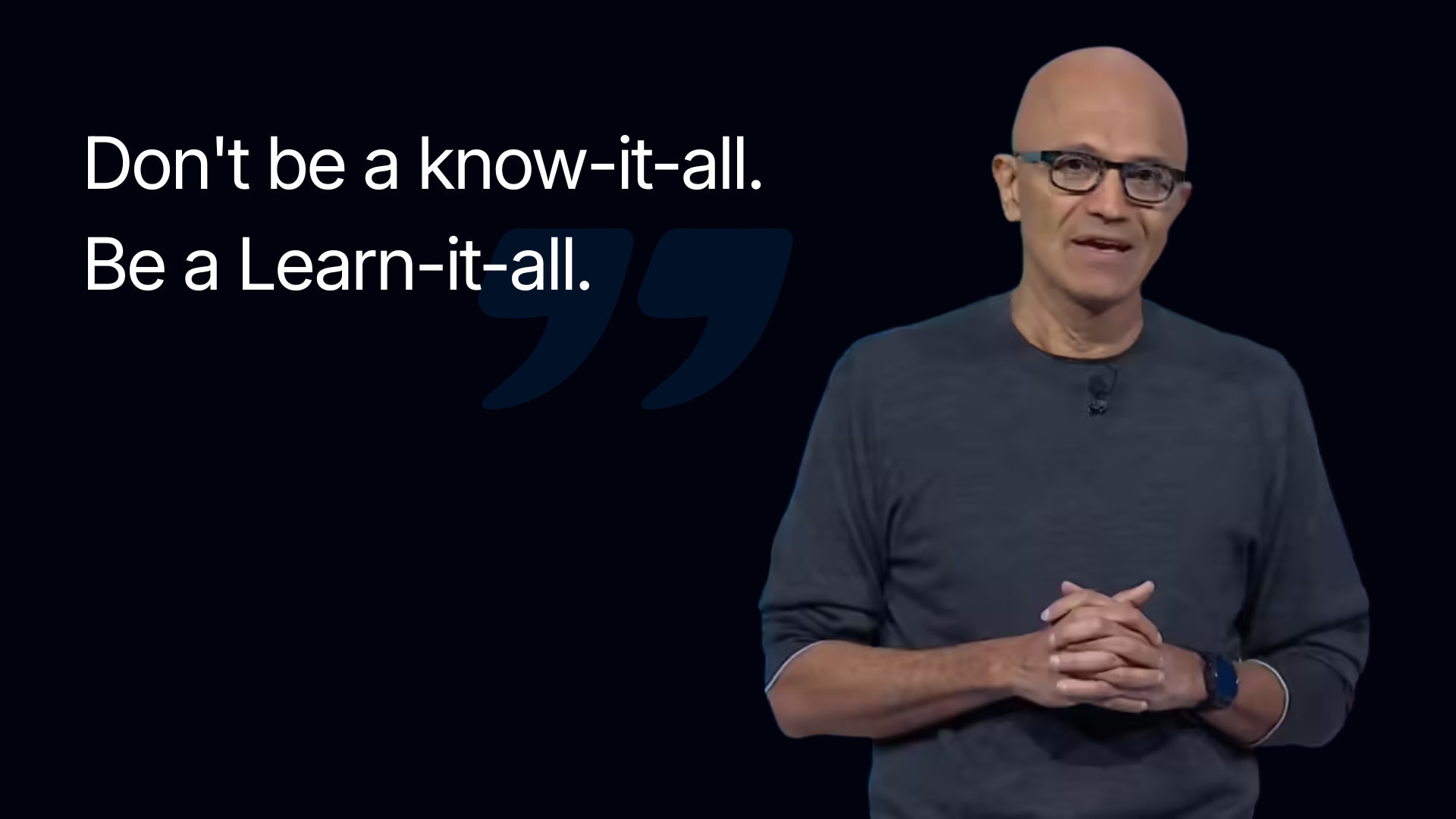
In a world where Microsoft’s platforms and products are perpetually in flux, the most important skill is the ability to learn, unlearn, and relearn. This isn’t a new idea – even Microsoft’s CEO, Satya Nadella, famously led a cultural shift within the company over the past decade from a “know-it-all” culture to a “learn-it-all” culture. Nadella emphasized that lasting success comes from being curious and adaptable, not from clinging to old knowledge. That philosophy rings true now more than ever for those of us working with Microsoft technologies. We can no longer assume that mastering one version of a tool or getting one certification means we’re set for years. Instead, we need to embrace continuous education as part of the job description.
Practically speaking, adopting a lifelong learning mindset means staying plugged into Microsoft’s frequent updates and resources. It might involve following Azure and Microsoft 365 product blogs to catch new feature announcements, or subscribing to Digital Bricks and engaging with the community to share knowledge on the latest changes. It also means being willing to experiment with new tools as they appear. The good news is that Microsoft tends to provide plenty of guidance for new releases, from documentation to free tutorials. The challenge is mainly one of time and mindset: carving out time to learn, and maintaining the humility to say “there’s something new here, and I need to understand it.”
Embracing continuous learning can turn what feels like a firehose of changes into an opportunity for growth. Each new service or capability Microsoft launches is a chance to solve problems in a better way or to advance your own skills. Many IT veterans have gone through this cycle before – perhaps migrating from on-premises servers to Azure, then from VMs to containers, and now from containers to serverless or microservices. Each step required learning something new, but also provided career-boosting expertise. The current wave of AI features is similar: those who take the time to learn how to harness tools will be positioned to deliver more value and stay relevant in the industry.
More crucially, organisations also need to support this learning culture. That might mean giving teams time for training and experimentation, recognizing that productivity might dip in the short term as everyone gets up to speed on, say, the Entra ID transition or the latest Copilot capabilities, but will pay off in the long run with more capable, future-proof solutions. Microsoft’s customers and partners can cultivate a “learn-it-all” ethos on their teams: encouraging curiosity, rewarding knowledge sharing. After all, in such a fast-moving ecosystem, no one knows it all – but the people and companies who thrive will be those who learn continuously.
This is where experience on the ground starts to matter. At Digital Bricks, much of the real work happens not in slide decks or pilot projects, but inside organisations themselves, building the structures that allow learning to become part of the working day. That often means creating internal communities around tools like Microsoft Viva, where questions, use cases, and small wins are shared openly across departments. It means designing practical, role-specific upskilling programmes that move beyond generic training and into the realities of how finance teams, operations managers, or frontline staff actually use Copilot and AI agents in their daily work. And it means staying alongside those teams as the platform evolves, providing ongoing guidance, governance, and technical support, so that adoption does not stall when the next update lands or the next capability reshapes what is possible.


Unlock exclusive insights and stay ahead in the digital world. No spam, only useful content.