Back to Blog
How Copilot Groups is Changing the Way Teams Collaborate

November 5, 2025
•
AI Adoption
.avif)

Microsoft unveiled an update to Copilot: the introduction of Copilot Groups. This new capability transforms Copilot from a lone helper into a collaborative team member. Instead of one person chatting with the AI, up to 32 people can now join a live Copilot session. Teams can brainstorm, plan and co-write together in real time, with Copilot summarising the discussion, proposing ideas and even assigning follow-up tasks. For executives considering Copilot adoption or planning upskilling programmes, this shift offers a unique opportunity. By turning AI chats into shared workspaces, Copilot Groups promises productivity gains, faster decision-making and a redefinition of teamwork.
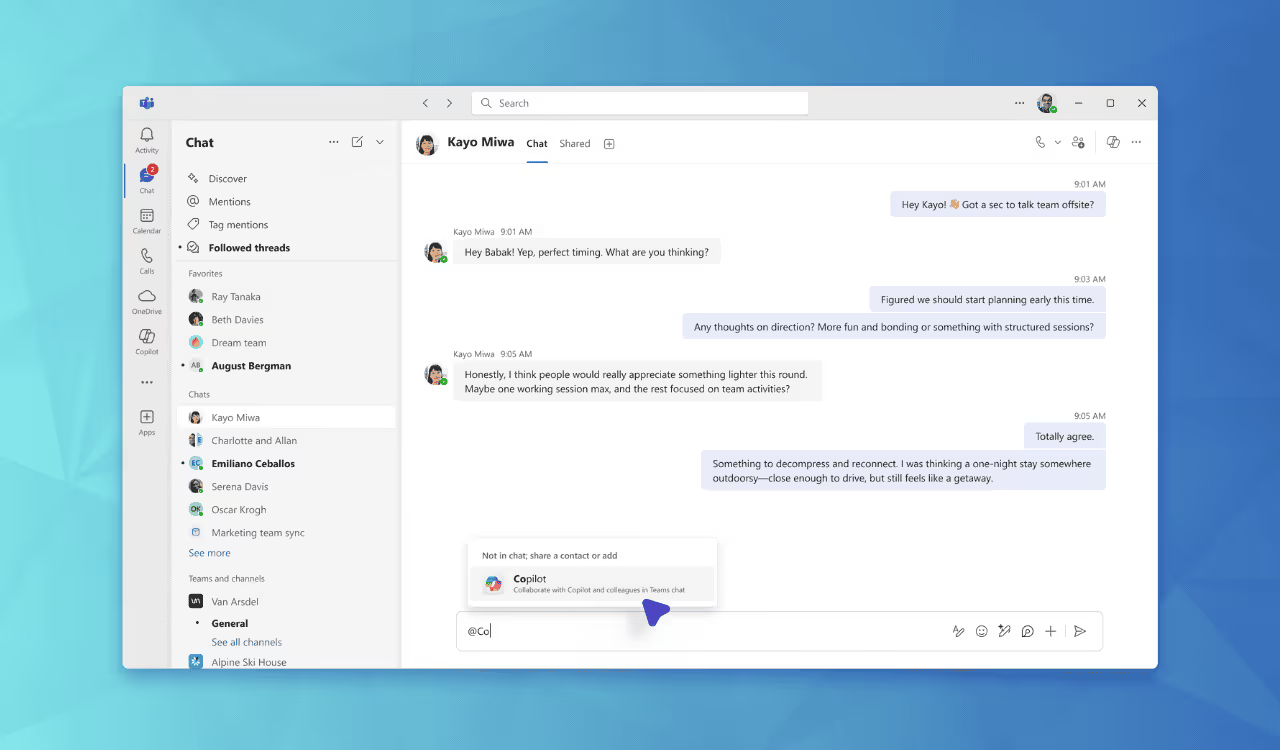
The Copilot Groups feature essentially creates a communal chat experience powered by AI. Team members start a session – for example by clicking “start group chat” in the Copilot app or adding Copilot to a Teams conversation – and then invite colleagues via a link or chat invite. Once everyone has joined, the Copilot assistant acts like a moderator in the group. Microsoft explains that Copilot can handle up to 32 participants, and it “keeps everyone aligned by summarising threads, proposing options, tallying votes, and splitting tasks.” In practice, this means each person’s questions and Copilot’s answers are visible to the whole team. Everyone sees the same conversation and can build on it. Crucially, Copilot captures the discussion so nothing gets lost: long conversations are condensed into clear summaries, and action items can be flagged and assigned.
The user controls which parts of the chat to share – private prompts can be kept hidden – so the tool respects confidentiality. For instance, a project lead might kick off a strategy discussion in Copilot, then seamlessly transition to a group mode. The AI shares the research context and everyone’s earlier prompts, so new participants don’t have to start from scratch. Each team member can then prompt Copilot: one might ask for a market analysis, another for technical comparisons, and another for cost projections. All these AI responses appear in the shared chat. At the end, a first draft report or presentation can be generated directly from that conversation. This way, the conversation itself becomes the content, with Copilot acting as a powerful co-author.
By enabling real-time co-creation, Copilot Groups can significantly speed up how teams work. Routine coordination tasks – such as writing meeting minutes or dividing up action items – become automatic. Instead of spending time on side discussions or follow-up emails, teams get instant summaries and task lists generated by Copilot. This streamlines workflows: a brainstorming session can immediately yield a list of next steps and assigned owners, all without manual note-taking. The AI also encourages everyone’s input by making it easy to compare ideas. For example, the Copilot assistant can tally a group vote on proposals or highlight patterns in a group’s discussion. This makes consensus-building quicker and more transparent.
Importantly, Copilot Groups breaks down silos. Cross-functional teams can collaborate in one place, drawing on the AI to bridge knowledge gaps. Imagine an R&D engineer, a marketer and a finance analyst working side-by-side in the same Copilot chat. As each specialist asks Copilot for information, their colleagues get to see and learn from the answers too. This shared visibility sparks new insights: a marketing colleague might suddenly ask a finance question after seeing an engineer’s inquiry. By democratizing knowledge across the group, Copilot Groups can drive innovation. Teams become more creative and informed, because the AI helps them build on each other’s ideas instantly.
For many organisations, this translates into real productivity gains. Analysts note that Copilot Groups could cut down on hours of unnecessary meetings and redundant updates. With the AI summarising discussions on the fly, team members don’t waste time catching each other up later. The result is a more agile workflow: project kick-offs, campaign planning and problem-solving sessions can all run faster and more efficiently. Employees get more done with less friction, and leaders benefit from speedier progress and decision-making.
Adopting Copilot Groups successfully requires intentional planning. It’s not enough to flip a switch and hope everyone uses it effectively. Instead, organisations should guide teams on best practices and use cases. For example, starting with pilot projects – such as a product launch team or a strategic planning group – can demonstrate early wins. Employees in those pilot teams receive training on how to initiate group Copilot sessions, how to structure chats for clarity, and how to interpret Copilot’s summaries.
This is where structured support pays off. The Digital Bricks Copilot Adoption Accelerator provides a clear framework for organisations of all sizes. It helps define the rollout strategy: identifying champion users, aligning features with business goals, and setting up governance standards. It also includes training materials and workshops so that staff learn to trust and rely on the AI in group settings. For instance, a training session might have teams practice using Copilot to draft a project plan together, so they experience firsthand how the tool aids collaboration. Leaders can then collect feedback and iteratively refine the approach.
By following a guided adoption path, companies ensure that Copilot Groups become an enabler rather than a distraction. Employees quickly recognise how sharing a Copilot chat can replace clunky email threads or after-hours document edits. Teams see the benefit of transparency and shared context, which builds confidence in the technology. Meanwhile, executives monitor progress and address any concerns early. Within a few weeks, the organisation will have concrete data – fewer meeting hours, faster project turnover, more ideas generated – showing the value of this new collaborative AI.
Copilot Groups is a fundamental step toward the future of teamwork. Hybrid work and virtual collaboration have become the norm, and employees crave tools that make distributed teams feel connected. By bringing people together around a smart assistant, Microsoft is enabling just that. The teams of tomorrow will not only use AI for individual tasks, but will harness it as a co-pilot for collective intelligence.
Forward-looking organisations will seize this opportunity. By weaving Copilot Groups into project workflows and training employees to use it confidently, leaders can cultivate a more innovative and agile workforce. Teams will share knowledge freely, build plans interactively, and execute faster – all powered by the AI backbone of Copilot. For those who move deliberately, the payoff will be significant: higher productivity, better cross-functional alignment, and a culture of continuous learning.
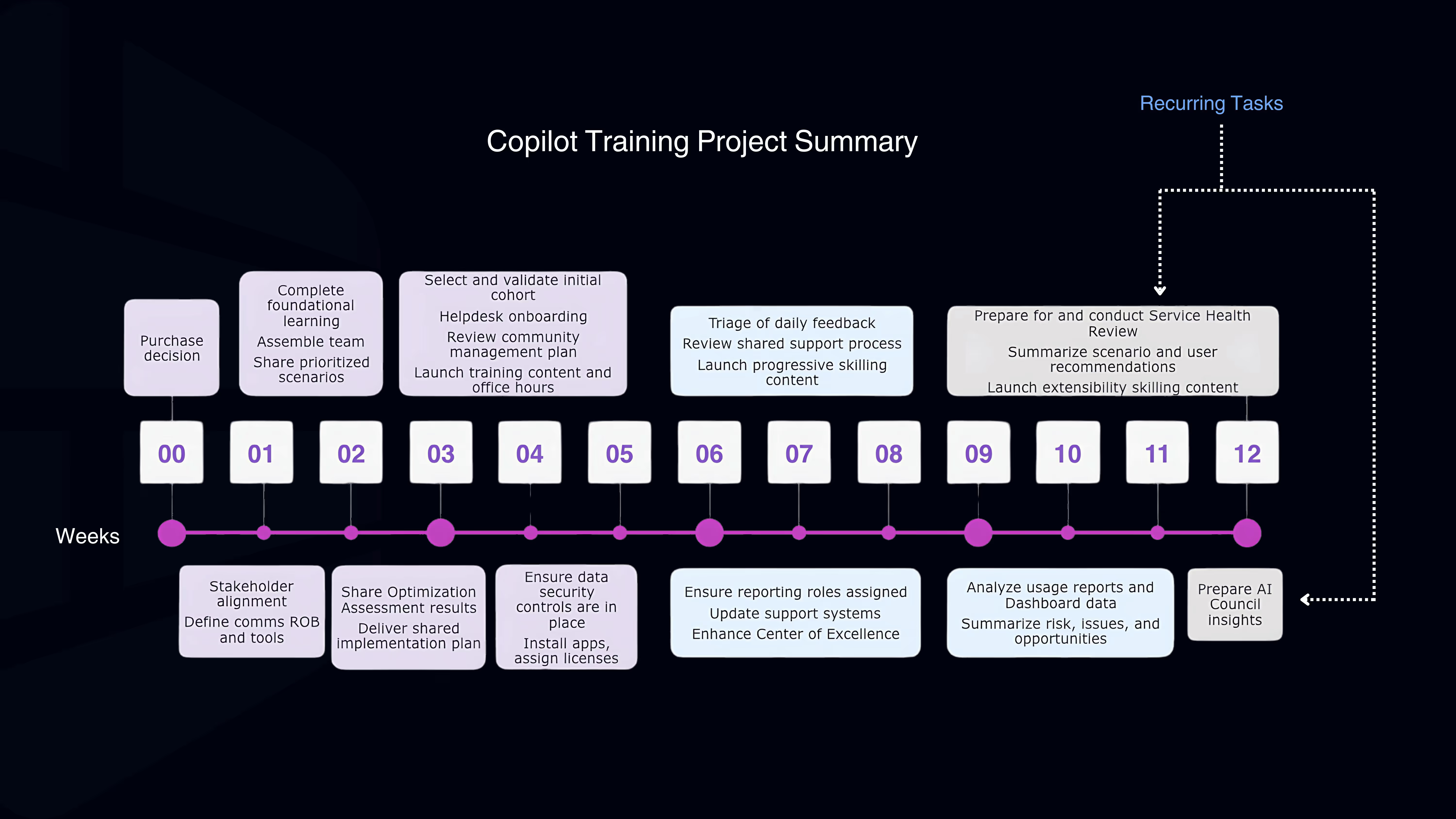
To make this transition smooth and effective, partnering with digital adoption experts can help. Our Copilot Adoption Accelerator gives you the roadmap and tools to embed this technology intentionally into your business. With the right guidance, your teams can quickly unlock the benefits of group-based AI collaboration and drive lasting value.


Unlock exclusive insights and stay ahead in the digital world. No spam, only useful content.